Zen Mode
A calmer way to categorize transactions. Swipe through, reach zero, find peace.
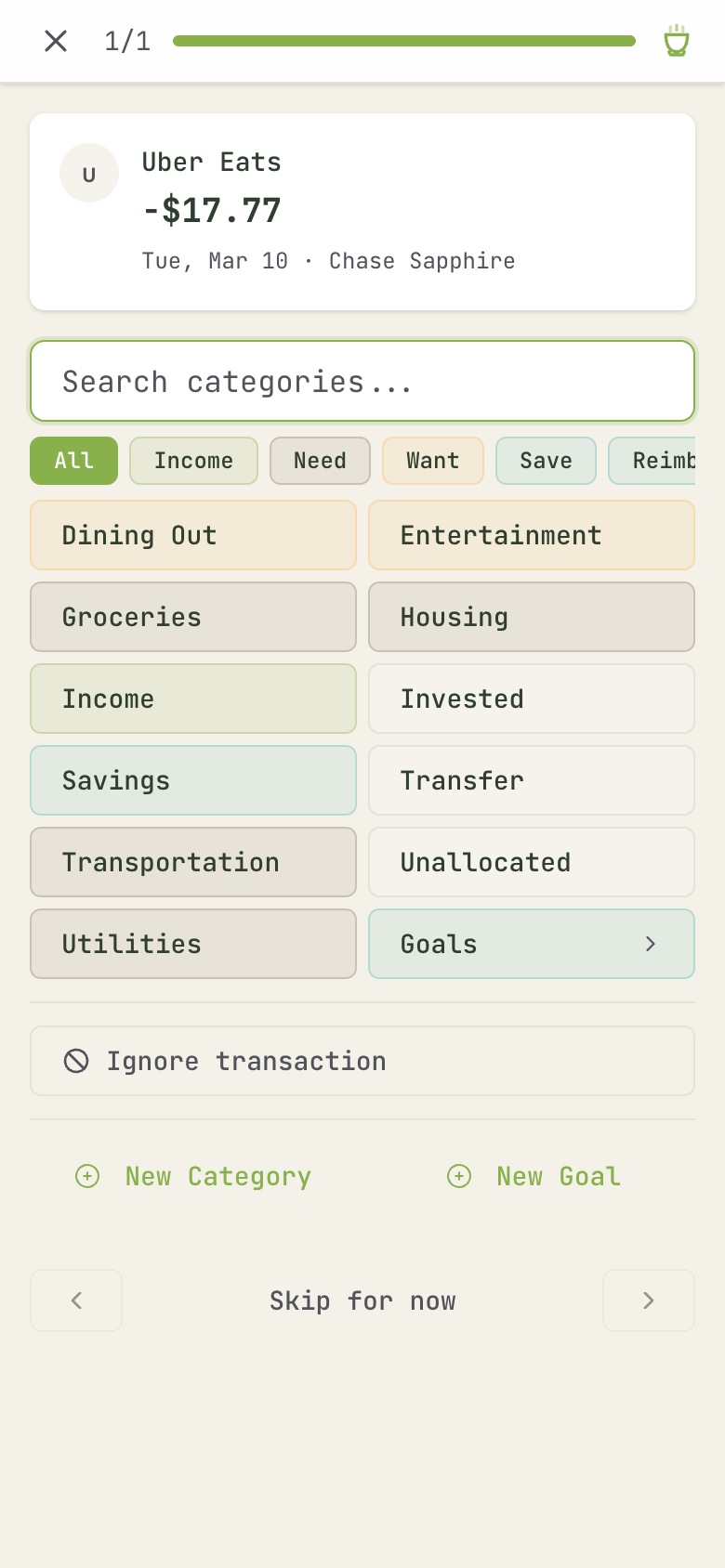
The challenge with my old spreadsheet model was the overwhelming wall of red — uncategorized transactions piling up until dealing with them felt like a chore. Zen Mode flips that experience into something focused and, honestly, personally satisfying.
The tea cup
There's a new icon in your dashboard header — a tea cup. At a glance, it tells you where you stand:
- Dot badge: You have uncategorized transactions. Tap to start categorizing.
- No badge: Everything is categorized. Tap for a calming steam animation. Your finances are at peace.
The categorize flow
When you enter Zen Mode, transactions appear one at a time as cards. Swipe or tap to assign a category, split, or ignore — and swipe left to skip one for now. It gamifies the experience and makes categorizing on mobile genuinely easy. The flow shows your progress toward zero, and when you hit it, you're done.
Why "Zen"?
Budgeting works when it becomes a habit — a ritual. Not something you dread, but something you do regularly because it takes two minutes and it feels good to see everything in order. That's the idea behind Zen Mode!
Chris Hsu