AI & MCP Integration
Connect matcha money to Claude, ChatGPT, or any MCP-compatible AI assistant.
I've been thinking about how to properly plan for FIRE (Financial Independence, Retire Early). Previously, I had long Gemini chats where I'd paste in rough numbers. With the MCP integration, Claude was able to pull my actual balances, understand which accounts are tax-advantaged vs. retirement vs. brokerage, run simulations on different timelines, and even suggest portfolio reallocations. That's the kind of thing this integration makes possible.
Connect your AI assistant
matcha money supports the Model Context Protocol (MCP), which means you can connect it to Claude, ChatGPT, or any compatible AI assistant. Your assistant gets secure, authorized access to your financial data — the same data you see in the app.
Claude.ai
- Open Claude.ai > Settings > Integrations > Add Remote MCP Server
- Enter URL:
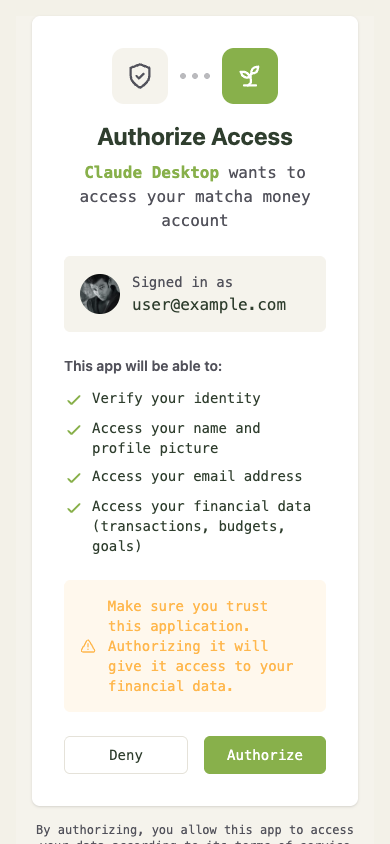
https://matcha.money - Click Connect and authorize access
Claude Desktop / Claude Code
Add to your MCP config:
{
  "mcpServers": {
    "matcha-money": {
      "url": "https://matcha.money/api/mcp/sse",
      "transport": "sse",
      "headers": {
        "Authorization": "Bearer YOUR_API_KEY"
      }
    }
  }
}
Get your API key from Settings > AI Integrations in matcha money.
ChatGPT
Create a Custom GPT with Actions:
- Go to ChatGPT > My GPTs > Create a GPT
- Under Actions, click Import from URL and enter:
https://matcha.money/openapi.yaml - Configure OAuth with the credentials from your matcha money admin panel
Full setup details in our AI Integrations guide.
What your AI can do
MCP tools cover the full surface area of your finances:
- Read transactions, budgets, goals, accounts, recurring bills, and net worth
- Write — categorize transactions, create rules, update budgets, manage goals
- Analyze — ask questions like "How much did I spend on dining this month vs. last month?" or "What's my savings rate over the past quarter?"
- Manage taxonomy — create categories, update tags, organize your financial structure
Prompt Cookbook
We published a curated set of ready-to-use prompts for common financial tasks:
- Monthly budget review
- Spending trend analysis
- Debt payoff planning
- Investment allocation check
- And more
Copy a prompt, paste it into your AI assistant, and it pulls the data from matcha money automatically.
MCP discovery
matcha money is listed on Smithery, so if your AI tool supports MCP server browsing, you can find and connect it directly.
Our prompt cookbook is open source, and the API documentation has the full tool reference.
Chris Hsu