Receipt Sync Extension
A free, open-source Chrome extension that collects itemized receipts from your favorite retailers.
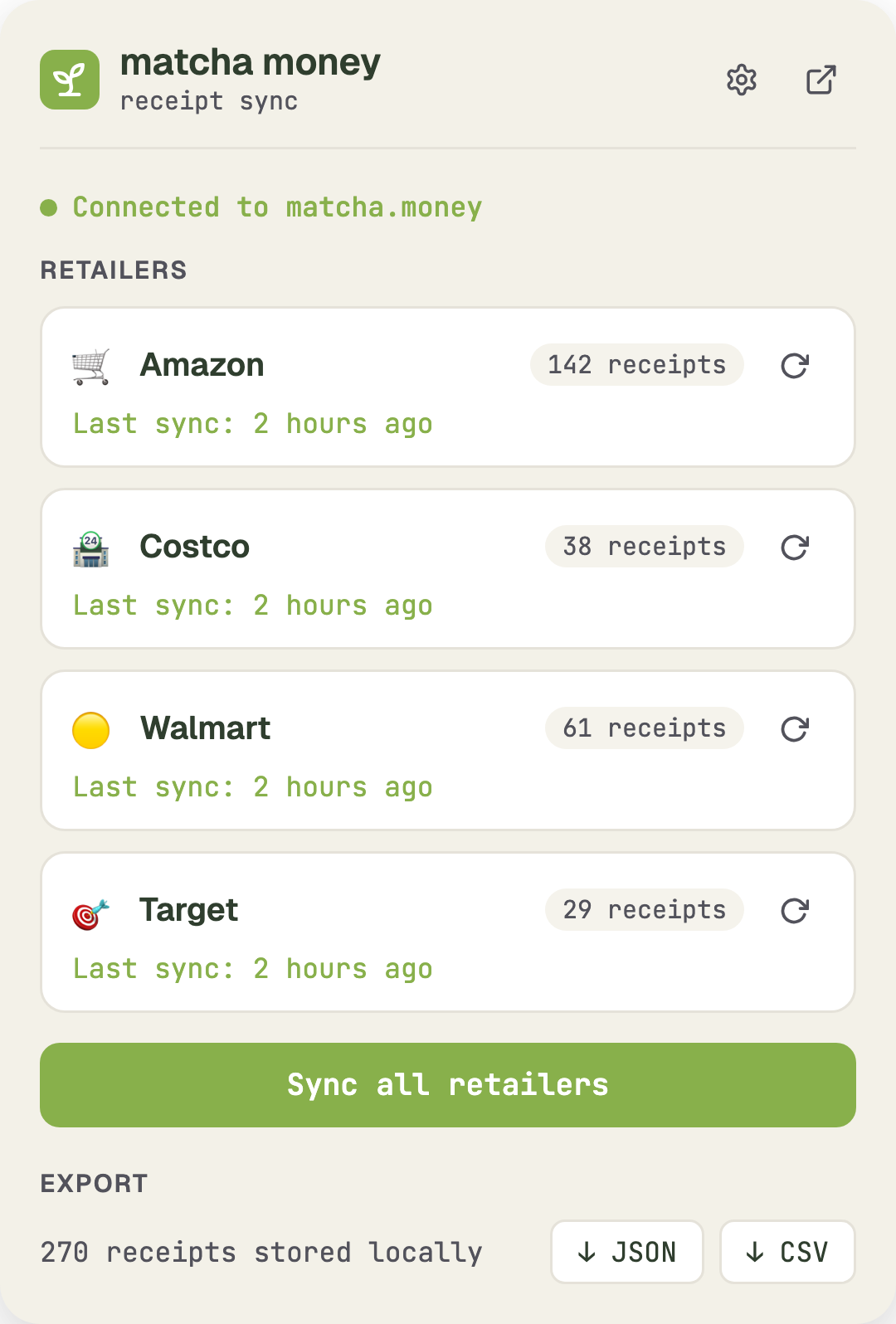
Bank transactions tell you that you spent $47.32 at Amazon, but not what you bought. It's annoying to be in the middle of categorizing and have to stop to go hunt down a receipt — it breaks the flow completely. That's why we built the Receipt Sync extension.
How it works
Install the Chrome extension, log into your retailer accounts, and the extension collects your itemized order history in the background. No manual entry, no photographing paper receipts.
Supported retailers
- Amazon — full order history with line items
- Costco — warehouse and online orders
- Walmart — in-store and online purchases
- Target — order history with itemized details
More retailers coming soon.
Export anywhere
Every receipt can be exported to CSV or JSON. Use them for expense reports, tax prep, or your own analysis. The extension is useful even without a matcha money account.
Sync with matcha money
If you have a matcha money account, receipts sync directly into your budget. Line items get matched to transactions, so you can see exactly what made up that $47.32 Amazon order — and which budget categories each item belongs to.
Receipts dashboard
A new Receipts page in the dashboard lets you browse and manage all synced receipts. Search by retailer, date, or item name.
API and MCP access
Receipt data is available through the REST API and MCP tools, so your AI assistant can answer questions like "How much did I spend on groceries at Costco last month?" with line-item accuracy.
Open source
The extension is open source on GitHub. We made this decision deliberately — when an extension has access to your purchase history, you should be able to see exactly what it does with that data. The code is public so you can verify that receipts are only stored locally and synced to your own matcha money account. Nothing is sent anywhere else.
Install from the Chrome Web Store
Chris Hsu